A shader development environment for the Phoenix demoengine, built around modern OpenGL, real-time rendering, and procedural graphics.
Phoenix Shader Editor is a C++ application designed to make developing, experimenting with, and visualising shader-driven graphics with the Phoenix ecosystem easier. It combines a GLSL editing environment with a real-time rendering engine, model and animation support, and an extensible graphical interface.
The project brings together the tools needed to experiment with modern rendering techniques in a single application, from writing custom shaders and importing 3D models to working with materials, animated cameras, and keyframe-driven scenes.
Rather than treating shader editing as an isolated task, Phoenix Shader Editor provides an environment in which code, geometry, materials, and animation can be explored together.
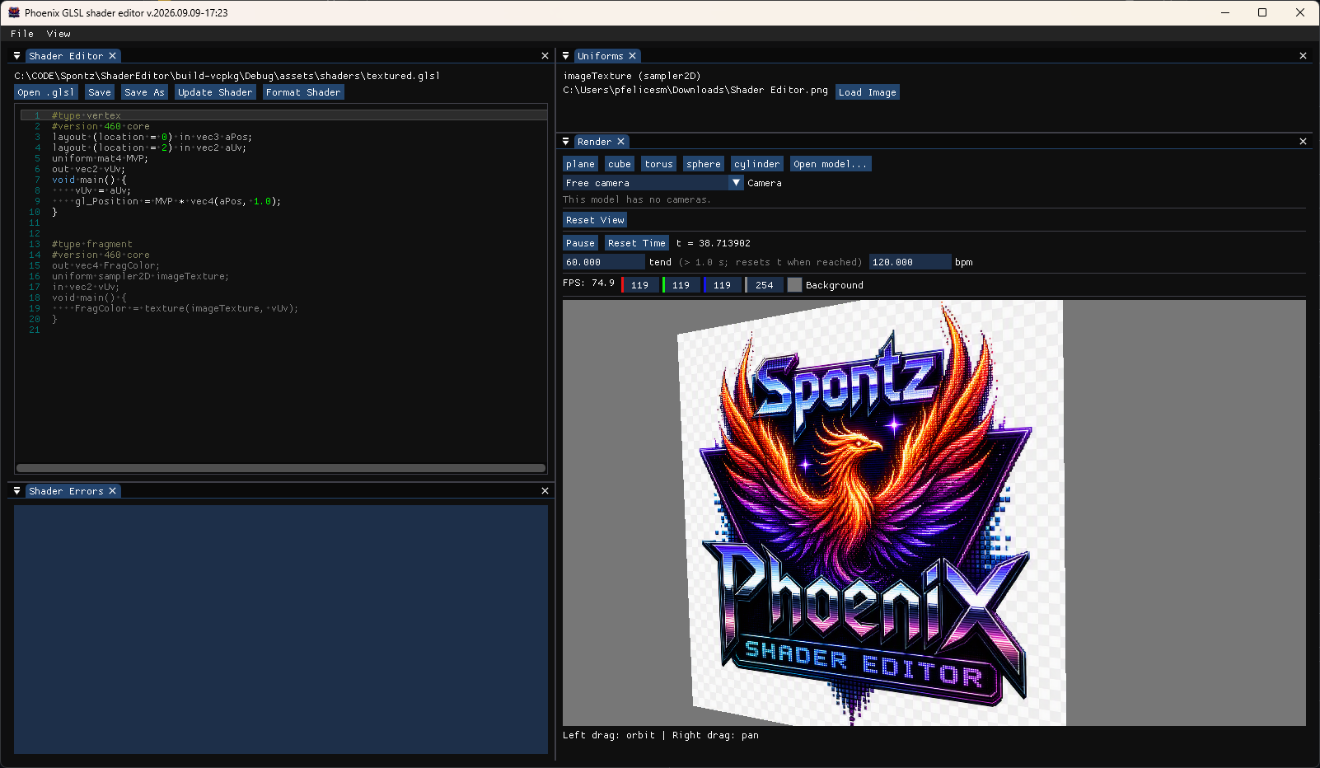
Features
Modern GLSL shader development
The editor targets OpenGL 4.6 and provides a dedicated environment for developing and testing GLSL shaders.
Its shader editing capabilities are designed to support iterative experimentation: modify shader code, observe the rendered result, and refine the implementation without having to rely exclusively on an external text editor and a separate rendering application.
Key capabilities include:
- GLSL source editing with syntax-aware text colouring.
- Real-time rendering through an OpenGL-based rendering subsystem.
- Shader diagnostics to help identify compilation and development issues.
- Support for Phoenix-compatible shader conventions, including uniforms, materials, and engine-provided variables.
- Shader examples that serve as starting points for experimentation and as references for supported functionality.
The goal is to reduce the distance between an idea expressed in GLSL and its visual result.
Real-time 3D rendering
Phoenix Shader Editor includes a rendering subsystem for visualising shader effects in a 3D environment.
Supported geometry includes basic primitives as well as imported models, allowing shaders to be tested on different shapes and more complex meshes.
The rendering architecture separates geometry and model management from the underlying OpenGL operations and shader handling. This provides a foundation for extending the renderer without coupling every feature directly to the user interface.
Model import and skeletal animation
The editor supports importing 3D assets through Assimp, allowing external models to be used as part of the rendering workflow.
In addition to static geometry, the project includes skeletal animation support. Bone data and the corresponding shader-side transformation data, including the gBones convention, allow animated meshes to be rendered using GPU skinning techniques.
This makes it possible to experiment with shaders on animated characters and other deformable models, rather than limiting testing to static primitives.
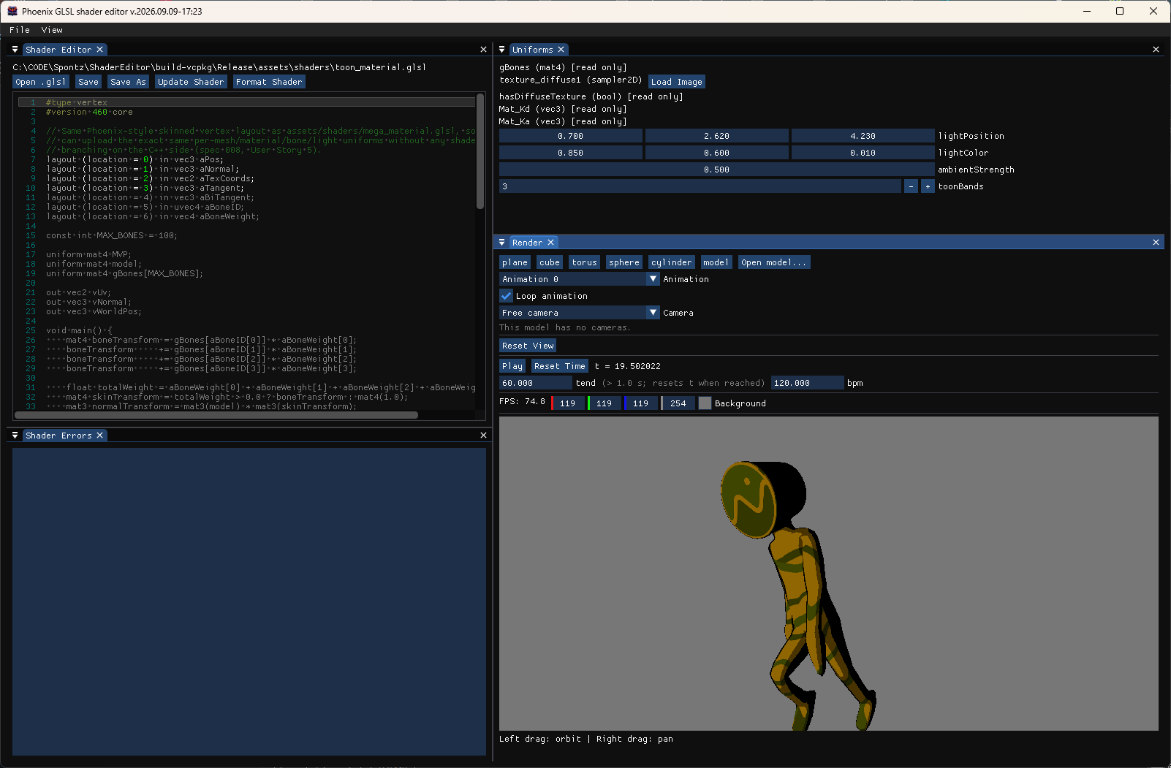
Materials, textures, and PBR workflows
Materials and textures are an important part of the shader development process. Phoenix Shader Editor provides rendering support for textured assets and physically based rendering (PBR) workflows.
Depending on the material and shader configuration, these workflows can involve properties and texture maps such as:
- Diffuse and specular information.
- Normal maps.
- Roughness and metallic values.
- Ambient occlusion.
- Emissive contributions.
These inputs provide a practical basis for testing surface shading, lighting responses, and material appearance in the context of the Phoenix rendering workflow.
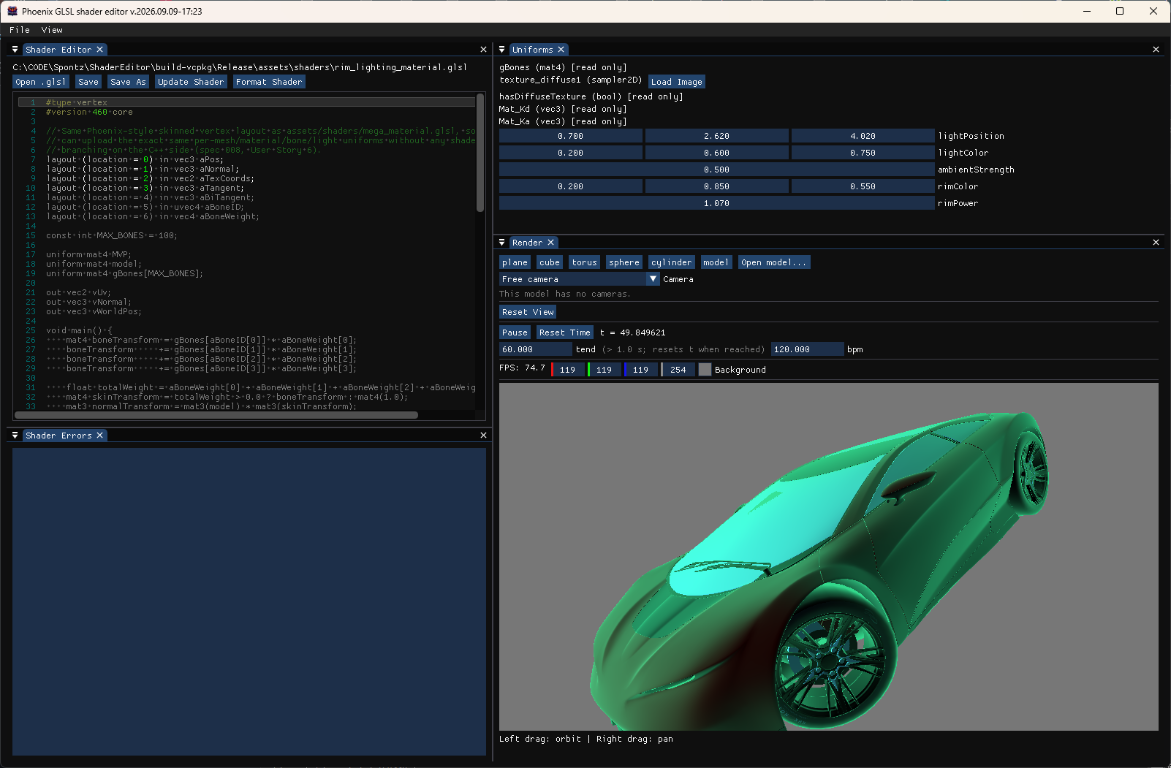
Keyframe-based animation and cameras
The editor also includes animation-oriented features, allowing scene elements to be driven by keyframes through a node-based workflow.
Animated cameras make it possible to explore changes in viewpoint over time, while keyframe-driven parameters provide a foundation for experimenting with animated scenes and effects.
Combining shader editing with animation is particularly useful for demoscene development, where visual effects are often designed to evolve continuously rather than being evaluated as isolated still images.
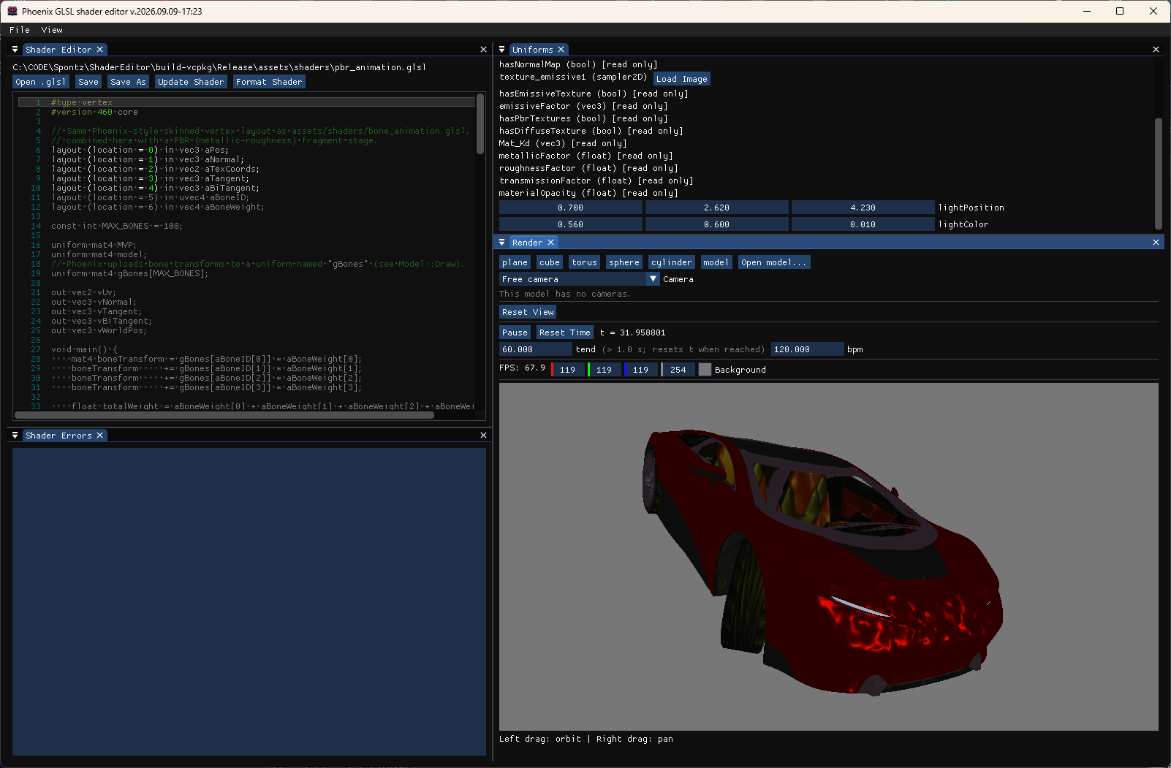
Dockable interface
The graphical interface uses Dear ImGui and is organised around a dockable layout.
Panels can be arranged to suit different workflows, making it easier to work with shader source code, rendering output, and other editor components within the same application.
This approach also supports incremental development: new panels and tools can be added without requiring a completely different application architecture.
Architecture and technology stack
Phoenix Shader Editor is implemented in C++20, with OpenGL 4.6 providing the graphics API.
The codebase is organised into distinct layers, separating application startup and lifecycle management, editor functionality, rendering, shared services, and the user interface.
This separation is intended to keep responsibilities clear and make the project easier to maintain and extend as new rendering and development features are introduced.
Application and editor layers
The app layer provides the application-level structure and coordinates the main lifecycle.
The editor layer contains functionality specific to the shader development environment. It acts as the bridge between the graphical interface and the underlying rendering and project services.
Keeping editor-specific logic separate from the renderer makes it easier to evolve the development tools without unnecessarily complicating the graphics subsystem.
Rendering subsystem
The rendering code is divided into focused components, including geometry, models, OpenGL operations, and shaders.
- Geometry handles the primitives and geometric data used for rendering.
- Models manages imported 3D assets and their associated mesh data.
- OpenGL contains graphics-API-related functionality.
- Shaders handles shader-related operations and the integration of GLSL programs into the rendering workflow.
This organisation provides a modular foundation for adding new rendering techniques while keeping the application and UI layers independent of low-level graphics implementation details wherever practical.
Services
The services layer contains reusable functionality that is not inherently part of the UI or the renderer.
File-related services support access to project resources, while shader-related services help coordinate shader operations. Isolating these responsibilities avoids scattering resource-handling logic throughout the application.
User interface
The ui layer contains the dockspace, panels, and reusable widgets that make up the editor interface.
Dear ImGui provides the immediate-mode GUI framework, while ImGuiColorTextEdit supplies the text-editing component used for shader source code.
The UI communicates with the editor and rendering layers rather than directly owning all of their implementation details. This helps preserve a separation between how a feature is presented and how it actually works.
Libraries and dependencies
The project uses established C++ and graphics libraries, each serving a specific role in the application.
| Library | Purpose |
|---|---|
| C++20 | Main implementation language, providing modern language features and abstractions. |
| OpenGL 4.6 | Graphics API for real-time rendering and GLSL shader execution. |
| GLFW | Window creation, OpenGL context management, and input handling. |
| GLAD | Loading OpenGL function pointers and exposing the graphics API. |
| Dear ImGui | Immediate-mode GUI framework and dockable editor interface. |
| GLM | Mathematics library for vectors, matrices, transformations, and other graphics calculations. |
| Assimp | Importing 3D models and associated mesh and animation data from supported asset formats. |
| stb_image | Loading image data for textures. |
| ImGuiColorTextEdit | Text-editing component with syntax-aware colouring for the shader editor. |
| Catch2 | Testing framework for automated C++ tests. |
| CMake | Build-system configuration and project generation. |
| vcpkg | Dependency management for the development and build environment. |
The combination of these libraries keeps the project focused on its main purpose: integrating shader development, 3D rendering, asset handling, and animation into a cohesive tool.
Project structure
The source tree is organised around the application’s principal responsibilities:
src/app— application lifecycle and top-level coordination.src/editor— editor-specific functionality.src/rendering— geometry, models, OpenGL functionality, and shader handling.src/services— reusable file and shader services.src/ui— dockspace, panels, and widgets.assets— application assets and supporting resources.tests— automated tests.third_party— third-party components and dependencies where applicable.
The project uses CMake and vcpkg for build configuration and dependency management. The precise setup requirements and implementation details should be taken from the current repository.
Designed for experimentation
Phoenix Shader Editor is not just about writing shader code. Its purpose is to bring shader development closer to the complete graphics workflow: geometry, materials, textures, animation, and rendering.
For demoscene developers, this is particularly relevant. A visual effect often starts with a small GLSL experiment and gradually evolves into a larger system involving animated parameters, imported assets, custom materials, and carefully controlled camera movement.
Having these elements available within one environment makes that iterative process more direct and encourages experimentation.
The architecture also leaves room for future development. The separation between the editor, rendering subsystem, services, and UI provides a structure in which new capabilities can be introduced without having to redesign the entire application for each addition.
Development story and source code
Phoenix Shader Editor has also been an experiment in the development process itself. Spec-Kit was used to define requirements, organise features, and maintain the project’s specifications. The experience has been both a valuable learning opportunity and a fun way to explore how AI-assisted development can help turn an idea into a working application in a relatively short amount of time.
For more information, including the development process, lessons learned, and the thinking behind the project, read the accompanying article:
Phoenix Shader Editor: From an AI Experiment to a Phoenix Development Tool
The source code, project structure, and development specifications are available in the GitHub repository:
Spontz / Phoenix-ShaderEditor — GitHub Repository
Phoenix Shader Editor is an evolving project, built to explore modern shader development and make the process of creating graphics for the Phoenix ecosystem more accessible, practical, and enjoyable.