The real-time graphics engine behind Spontz productions
Phoenix is the real-time demoengine developed by Spontz, a demoscene group with a long history of creating audiovisual productions. It is the engine we use to bring together graphics, animation, music, effects and timing into a single, synchronised experience.
The project is the result of years of experimentation and continuous development. It evolved from the original Dragon/Inferno engine, which began as a C project, into a substantially reworked C++ codebase built around modern OpenGL and a more modular architecture.
Phoenix preserves the spirit of the original engine: a section-based system, time-driven effects and the flexibility to build highly customised productions. At the same time, it introduces new rendering capabilities, modern libraries, improved resource handling and tools that make it easier to develop increasingly ambitious demos.
We have used this engine to create around twenty demos and other productions. It is not intended to be a general-purpose game engine; its main purpose is to give us the freedom to build the exact visual and audiovisual experiences we have in mind.
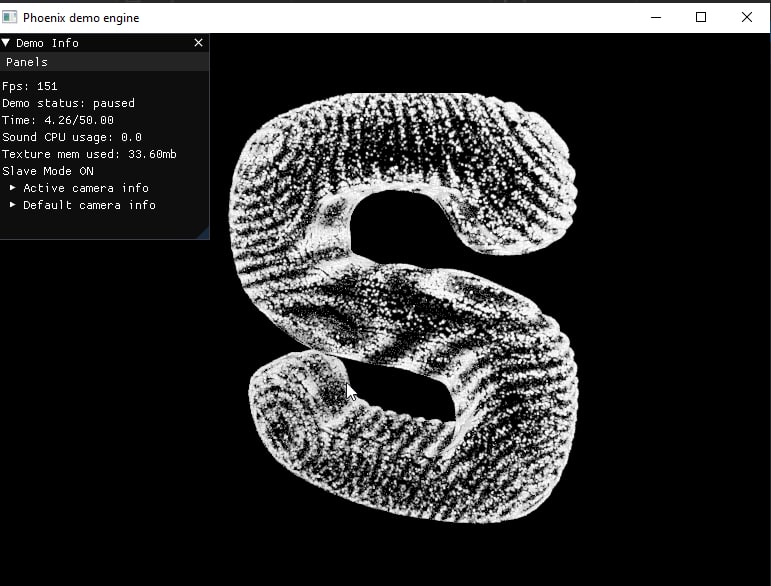
What is a demoengine?
In the demoscene, a demo is a real-time audiovisual production that combines graphics, animation, music and programming into a continuous presentation. Unlike a conventional video, the visuals are generated by the computer while the production is running.
A demoengine provides the technology needed to make this possible. It manages rendering, assets, animation, timing, audio and the execution of effects, allowing the creators to concentrate on the production itself.
Phoenix is designed around this idea. Instead of treating a demo as a collection of independent scenes, it provides a framework in which different elements can be scheduled, animated and synchronised to create a coherent audiovisual sequence.
The engine is also deliberately flexible. A production can combine imported 3D models, custom GLSL shaders, procedural graphics, particles, video, textures and audio-driven effects, depending on what the effect requires.
Main features
Modern real-time rendering
Phoenix uses OpenGL as its graphics backend. The rendering system is designed for real-time 3D graphics and supports custom GLSL shaders, allowing us to implement effects ranging from conventional material rendering to highly specialised procedural visuals.
Because shaders are central to demoscene development, they are not merely an optional extension. They are one of the main tools for shaping the appearance of a production, controlling materials and creating effects that would be difficult to achieve with fixed rendering techniques.
The repository also contains rendering experiments and examples involving environment maps, glow and ray-marching-style visuals.
A section-based production system
One of Phoenix’s defining concepts is the section.
A demo is assembled from sections that represent individual effects, behaviours or parts of the production. The engine manages their execution and evaluates their parameters as the demo progresses through time.
This approach makes it possible to organise a complex production into smaller, reusable components. A section can be responsible for rendering an effect, controlling a camera, animating an object or driving another part of the scene.
The section system also retains compatibility with the traditional Phoenix/Dragon workflow and its .SPO configuration files. This is an important part of the engine’s history: the internal implementation has changed substantially, while the familiar production model remains.
Time-based animation and mathematical expressions
Time is one of the most important inputs in a demo. Phoenix uses the current playback time to determine how effects evolve, when sections run and how their parameters change.
The engine integrates exprtk, a mathematical expression parser and evaluator, to calculate runtime expressions used by section scripting. This allows parameters to be described through formulas rather than requiring every movement or variation to be hard-coded.
Expressions can be used to produce continuous changes, oscillations and other time-dependent behaviours. Combined with section scheduling, this gives demo creators a flexible way to coordinate animation and visual effects.
The result is a system in which time is not simply a clock: it is a fundamental control mechanism for the whole production.
3D models, skeletal animation and materials
Phoenix supports the import of 3D assets through Assimp, providing access to model and scene data from external asset formats.
Imported assets can be used as part of the real-time scene, while the rendering pipeline handles the data required to draw them. The engine’s graphics capabilities also include support for textures, lighting and shader-driven materials.
Skeletal animation is particularly useful for productions that need characters or articulated models. Instead of moving an entire mesh as a rigid object, a skeleton defines a hierarchy of bones that can deform the model as it animates.
This opens the door to more expressive scenes, combining animated models with custom shaders, camera movement and other real-time effects.
Cameras and scene movement
Camera control is essential when a demo needs to guide the viewer through a 3D environment. Phoenix includes camera-oriented sections, including first-person-style and target-based camera behaviour.
These systems allow camera movement and orientation to become part of the production’s timing and animation logic, rather than being fixed independently of the demo.
Combined with animated objects and section scheduling, camera control helps create continuous sequences in which the viewpoint, geometry and visual effects evolve together.
Particles and specialised effects
Phoenix includes specialised sections for effects such as particle emitters and spline-based emitter behaviour. These are useful for generating motion and visual complexity without having to model every element individually.
The section-based architecture also provides a natural place for specialised rendering techniques. The codebase includes a 3D compute section, which provides a path for GPU compute-based work alongside the engine’s rendering features.
This is especially valuable in the demoscene, where many effects are purpose-built and where the ability to combine different techniques is often more important than relying on a single predefined workflow.
Images, video and audio
A demo is an audiovisual production, so Phoenix needs to handle more than geometry and shaders.
The engine integrates several libraries for media and audio workflows:
- stb_image for loading images and cubemap textures.
- FFmpeg for video decoding and related media processing.
- miniaudio for audio playback.
- kissfft for frequency-domain analysis used in audio-reactive workflows.
These components allow media assets and sound to participate in the same real-time production as 3D graphics. Audio analysis can also provide information that effects use to react to music, helping visual elements feel connected to the soundtrack.
Development tools and integration
Phoenix uses Dear ImGui for in-engine and debugging interfaces. This makes it possible to expose controls and diagnostic information without having to build a separate graphical interface for every development task.
The current codebase also includes a WebSocket-based API bridge used for communication between Phoenix and the Cacablu editor tooling. In addition, the repository contains a framebuffer streaming path based on WebRTC technologies.
These integrations help connect the rendering engine to external development tools and workflows, extending its usefulness beyond simply launching a finished demo.
Architecture: how Phoenix is organised
Phoenix has evolved from an older C-based engine into a C++ application with separate responsibilities for the engine, launcher, sections and supporting systems. The current repository reflects that separation through its main projects and source directories.
1. Engine core
The core is responsible for coordinating the execution of the demo. A central component, DemoKernel, manages the main runtime responsibilities and acts as the foundation on which the other systems operate.
The core also contains the section infrastructure. Classes such as Section, SectionManager and their supporting data structures provide the mechanisms for representing sections, managing their configuration and evaluating them during playback.
This separation is important: the runtime does not need to treat every effect as a special case in one enormous loop. Instead, the engine can manage different section types through a shared framework.
2. Sections and effect implementations
The Engine/src/sections directory contains the implementations of individual section types. Examples include first-person and target-based cameras, particle emitters, spline emitters and 3D compute work.
Each section encapsulates a specific responsibility. This makes the system easier to extend: a new effect can be implemented as a specialised component that participates in the existing section workflow.
The architecture reflects a practical demoscene requirement. Productions often need effects that are highly specific to a particular idea, so the engine must support custom behaviour without forcing every effect into the same rendering technique.
3. Rendering and graphics resources
OpenGL provides the rendering backend, while supporting libraries supply mathematical operations, asset import and image loading.
GLM provides vector, matrix and transformation types. Assimp imports model and scene data, while stb_image handles image resources. GLFW and GLAD provide the window/context and OpenGL function-loading foundations.
Shader programs and rendering components use these facilities to transform scene data into the final image. The result is a graphics layer that can support both conventional 3D rendering and more experimental shader-based effects.
4. Media, audio and mathematical evaluation
The media and audio libraries are integrated as specialised subsystems rather than being reimplemented inside each visual effect.
FFmpeg handles video-related processing, miniaudio provides audio playback, and kissfft supplies frequency-analysis utilities. The expression evaluator, exprtk, serves a different but equally important role: calculating mathematical expressions used by the section system.
Keeping these responsibilities distinct helps the engine combine different kinds of input and processing within a single time-driven runtime.
5. Launcher and production data
The repository separates the Launcher project from the Engine project. The launcher provides the executable application and its associated resources and data, while the engine contains the core runtime and effect implementations.
Production assets and configuration are organised around the data directory. The engine can load the scripts, textures, videos, audio and other resources needed by a demo from its configured data location.
This distinction between runtime code and production data is useful for development and deployment: the engine provides the machinery, while the data describes and supplies the content that a particular production uses.
6. External tools and communication
Phoenix is not isolated from the rest of the development workflow. The codebase includes a WebSocket server based on uWebSockets for the editor API bridge, as well as a framebuffer streaming path using LibDataChannel.
These components provide integration points for external tooling and image transport. They also illustrate how the architecture has grown beyond the original rendering loop to accommodate a more connected development environment.
Technology stack
Phoenix combines established graphics libraries with specialised tools for audio, media and real-time communication.
| Technology | Role in Phoenix |
|---|---|
| C++ | Main implementation language |
| OpenGL | Real-time graphics rendering |
| GLFW | Window creation, OpenGL context and input |
| GLAD | OpenGL function loading |
| GLM | Mathematics and transformations |
| Dear ImGui | In-engine UI and development tools |
| Assimp | 3D model and scene import |
| stb_image | Image and cubemap loading |
| FFmpeg | Video and media processing |
| miniaudio | Audio playback |
| kissfft | Frequency analysis |
| exprtk | Runtime mathematical expressions |
| uWebSockets | WebSocket-based editor API |
| LibDataChannel | WebRTC-based framebuffer streaming |
| dyad.c | Legacy networking module still present in the codebase |
The project uses CMake and vcpkg to configure builds and manage third-party dependencies. The repository includes Windows bootstrap scripts to prepare the development environment and generate a Visual Studio solution.
A long-running project, constantly evolving
Phoenix is not a new engine created in isolation. It is the result of a long process of learning, experimentation and refactoring.
The original Dragon/Inferno engine provided the foundation and production workflow. Over time, the code has been substantially rewritten, moving from C to C++, adopting a modern OpenGL-based rendering backend and integrating libraries that make asset handling, media playback and development more manageable.
The engine has also benefited from ideas and educational resources shared by other graphics programmers and open-source projects, including The Cherno, OGLDev and the Lumos engine. Their work is acknowledged in the project repository.
For me, Phoenix is both a practical production tool and an ongoing technical challenge. Every new demo brings its own requirements, and those requirements often lead to new effects, architectural improvements and opportunities to experiment with rendering techniques.
That continuous evolution is part of what makes developing a demoengine so rewarding: the engine is never completely separate from the demos made with it. Each production helps shape the tool that will be used for the next one.
Source code and documentation
Phoenix is open source and available on GitHub. The repository contains the engine, launcher, build scripts and project documentation.
- Source code: https://github.com/Spontz/Phoenix
- Documentation wiki: https://github.com/Spontz/Phoenix/wiki
If you are interested in real-time graphics, shader programming or the technical side of the demoscene, feel free to explore the code. Just be warned: as the repository’s own README suggests, this project has accumulated its fair share of late nights, experimentation and debugging along the way!